Single Record Data Entry
Step-by-step protocol for data entry of a single specimen, with screenshots and examples specific to our collection. Consult Arctos documentation if necessary. See “How to Enter Data for a Single Record” for the broader Arctos view.
The Specimen
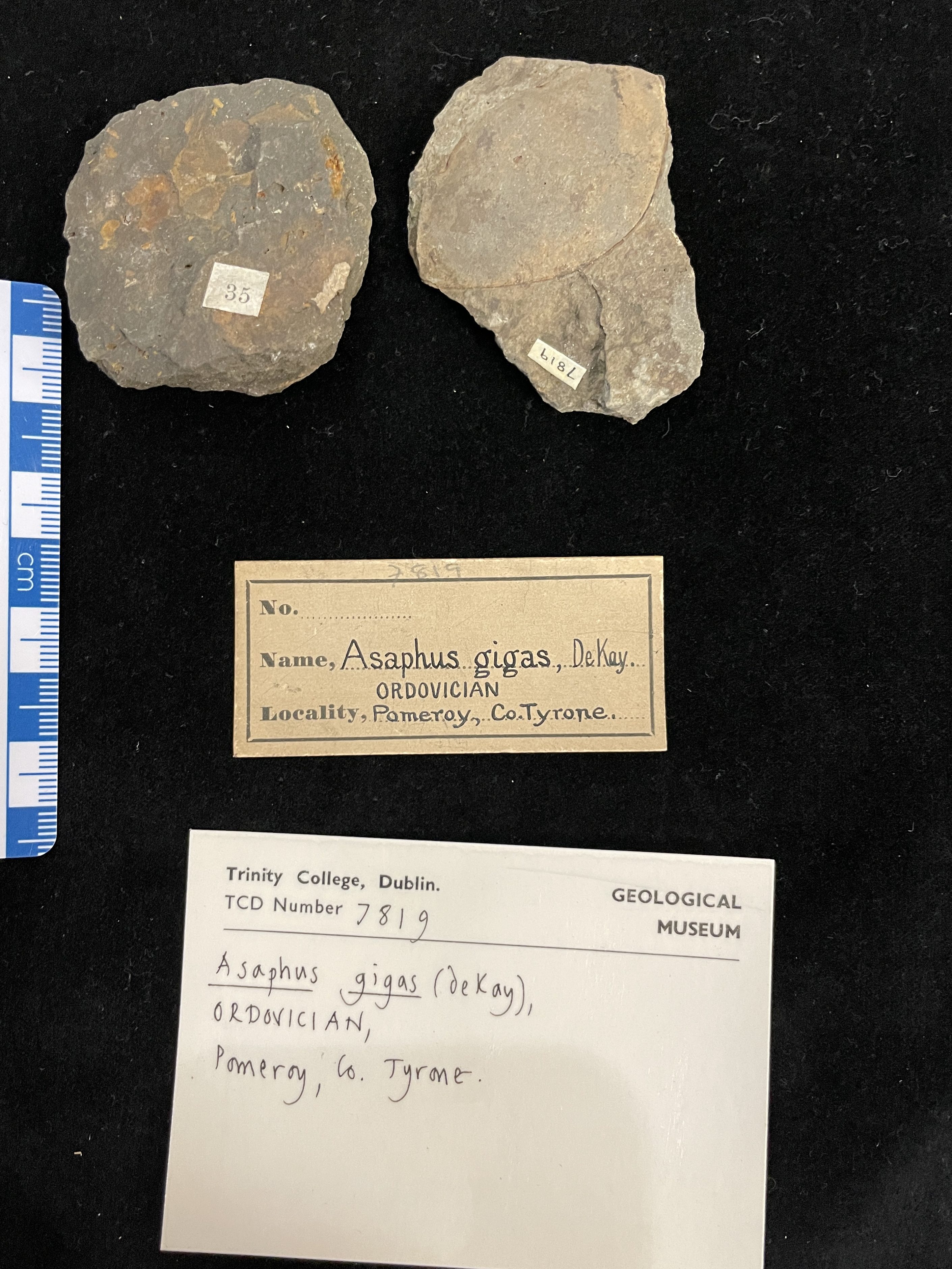
This trilobite from the Portlock Collection will be used as an example.
Data Entry forms
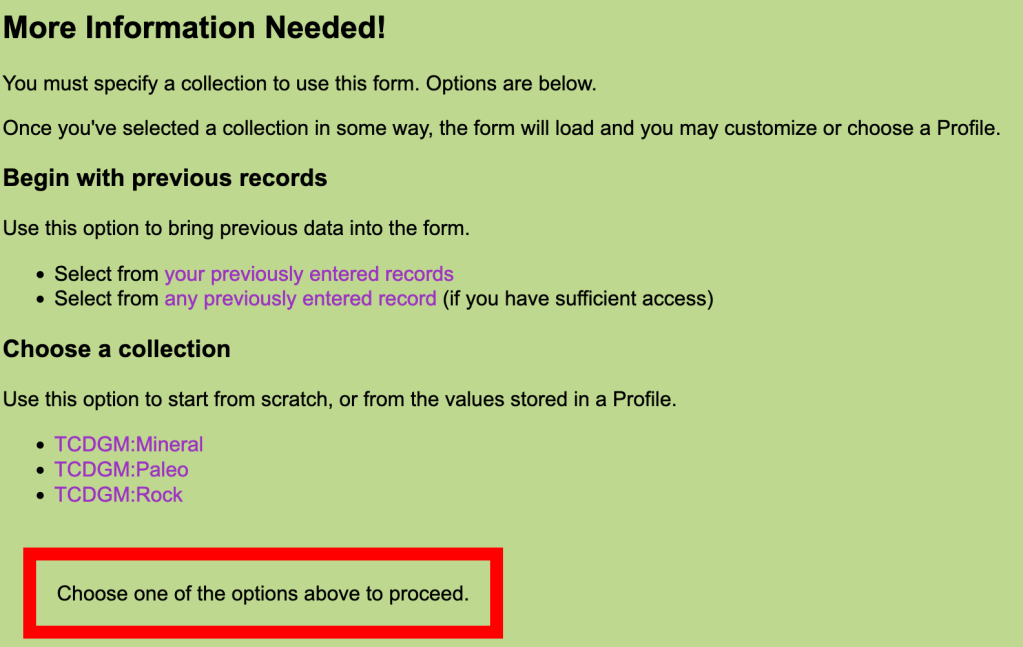
Chose the relevent collection – profiles have been created for each collection, which only include relevent fields (although not all are used every time), and with some field autopopulated to save time.
Catalog Record

guid_prefix: TCDGM:Paleo, TCDGM:Mineral or TCDGM:Rock. Autopopulated.
accn: accession number. In this example [TCDGM:Paleo]2023-04 is an accession created for the Portlock Collection. The most commonly used number is [TCDGM:Paleo]9999, which is a catch-all for legacy collections which have not been formally accessioned.
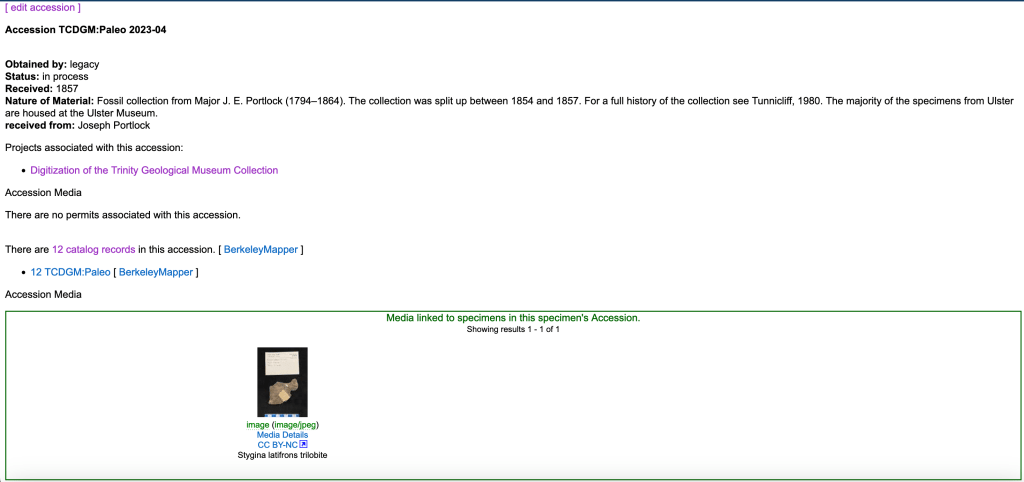
cat_num: the catalogue number
record_type (code table): FossilSpecimen for paleontology. Autopopulated.
Identifiers (docs)
Additional numbers or codes associated with the specimen, which may be legacy catalogue numbers, numbers from the collector, or from other institutions. See Label Styles for some of the known labels in our collection.

identifier_issued_by: Unknown in this case, but often the collector.
identifier_type (code table): Most often “identifier” or “collector number”
identifier_relationship (code table): Most commonly used are
- “self” i.e. the identifier simply relates directly to the catalogued item
- “in same matrix as”. This is used to link TCD catalogue numbers together when specimens are in the same piece of rock. Note: this kind of link will have to be made after all individual specimens have been added. Futhermore, the link has to be made in both directions (six specimens on a slab? You will have 30 different links to make).

identifier_remark: information about the identifier that is not captured elsewhere, especially useful for identifiers of an unknown source. Note any information that could be used to identify connections in the future e.g. the style of the number (Handwritten? Ink colour?)
Identification (docs)
The taxon, mineral or rock name. At least one identification is required. Multiple identifications can be added to capture the full history. If absolutely necessary specimens can be identified at a very broad scale – e.g. ‘Mineral’ for an unidentified mineral specimen.
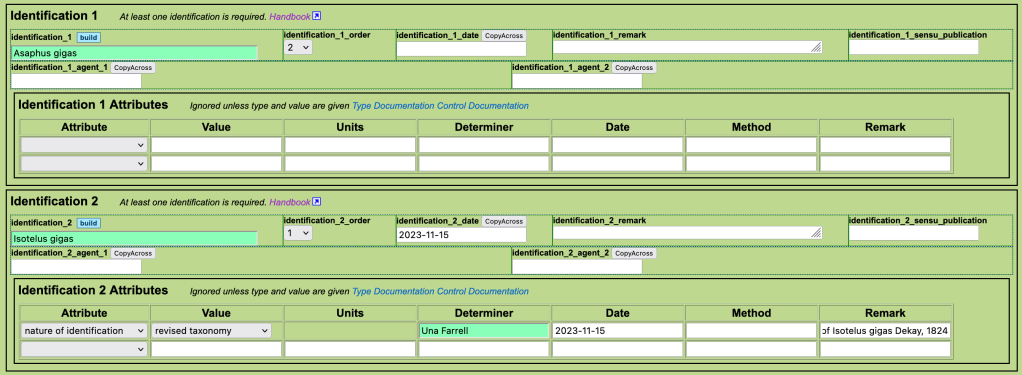
identification: The taxon name. Type full name or the start of the name and then hit “Tab” to pull up the available options. Or, search for taxonomy here first to check available names: https://arctos.database.museum/taxonomy.cfm. If the name is not available, it will need to be entered (read taxonomy documentation, consult curator).
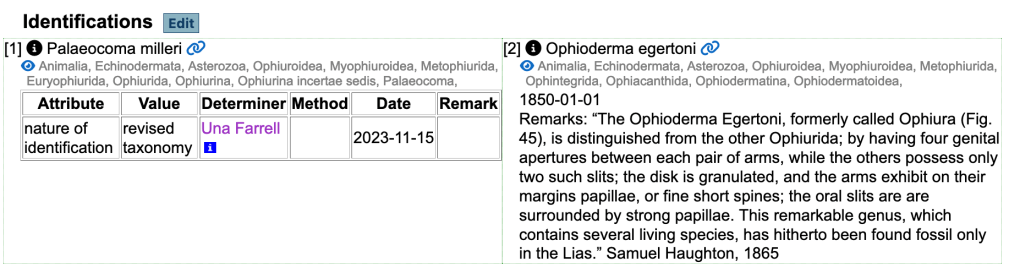
identification order: “1” indicates accepted name, 0 = “unaccepted”, 2 = “accepted, but not as valid as 1”. The latter can be used where the original identification was correct at the time, but has been updated due to a revision of taxonomy. This is the case here – Asaphus gigas is a synonym of Isotelus gigas. Another example is illustrated below.
identification date: date of determination (original date is often not known).
identification remark: remarks about the determination not captured in the other fields. Used to add description if short/useful e.g. descriptions from Apjohn catalogue.
identification sensu publication: not often used, see documentation.
identification agent: the person (or people – identification_1_agent_1 and identification_1_agent_2 etc.) who provided the identification.
Identification attributes (docs)
- nature of identification – usually “features”. “revised taxonomy” for cases with an updated name (code_table)
- identification confidence – high/medium/low. Not always used, but can be helpful in end-member cases e.g. where the identifier is an expert in the field (high).
- verbatim identification – what was written on the label if it differs from the identification used (e.g. including mis-spellings, other punctuation etc.)
Agents

agent_1_role (code table): usually “collector”
agent_1_name: name of the collector. Agents are shared between collections, so tread with caution and make sure to pick the correct person. If a new agent needs to be added read agent documentation, consult curator.
Place and Time
Read “How to understand the Arctos Locality Model“.
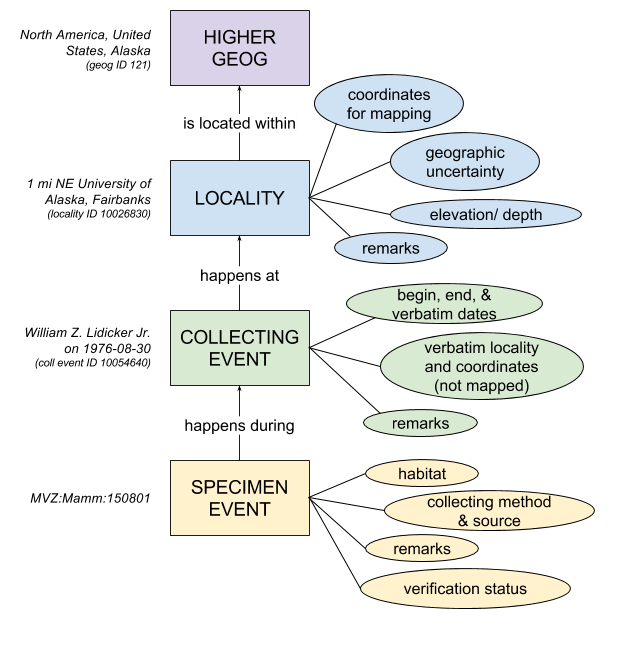
Localities are shared between collections. The locality you need may already exist – search “Places and Events” to check (make sure all information applies).
A locality must exist in order to add a collecting event, so enter both at the same time. If you want to add the verbatim locality and come back later to figure out the ‘clean’ version and do the georeferencing then use the TCDGM “dummy” locality (link available soon!)
Record Event
Mostly book-keeping, with the same information every time.

record_event_type (code table): always “collection”
record_event_determiner: you
record_event_determined date: today
record_event_verificationstatus: unverified (usually, unless its your own collection. This allows for a secondary check of new events)
Event (aka Collecting Event – not to be confused with ‘Record Event’ documentation)
When the collection occured, and the verbatim information about locality.

event_name or event_id: find existing collecting events by name or id (not all events have names). All the information associated with that event will be linked, so you won’t need to fill out any more boxes in this section if you are using one of these. (Make sure all the infromation applies. If in doubt, make a new one).
event_verbatim_locality: the locality as originally written.
see docs for information about how to chose dates: https://handbook.arctosdb.org/documentation/collecting-event.html#dates
event_verbatim_date: the date as originally written.
event_began_date: earliest date of collection.
event_ended_date: latest date of collection.
event_remark: remarks about the collecting event. For example, how the dates were picked.
Locality

locality_name or locality_id: find existing localities by name or id (not all localities have names). All the information associated with that locality will be linked, so you won’t need to fill out any more boxes in this section if you are using one of these. (Make sure all the information applies. If in doubt, make a new one).
locality_higher_geog (docs): Country, State/Province and County e.g. United States, Kansas, Douglas County. Source is generally GADM. If you are working with Irish and UK localities note the following:
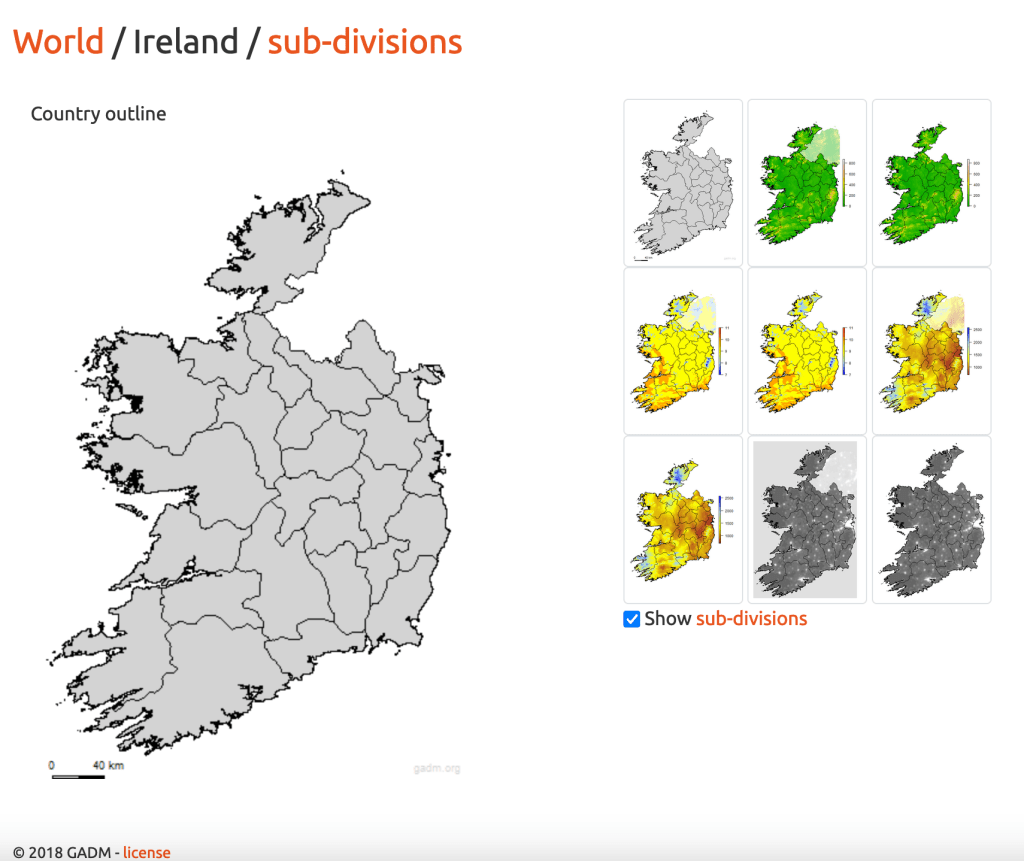
Ireland has only one subdivision level in GADM. This means provinces (Leinster/Munster/Connaught/Ulster) are not recorded and counties therefore appear under the heading “State/Province” and NOT “County”. Enter e.g. as Ireland, Dublin.
Northern Ireland is divided up into administrative divisions which do not correspond to counties. Use ‘United Kingdom, Northern Ireland’ and put the county in the specific locality.
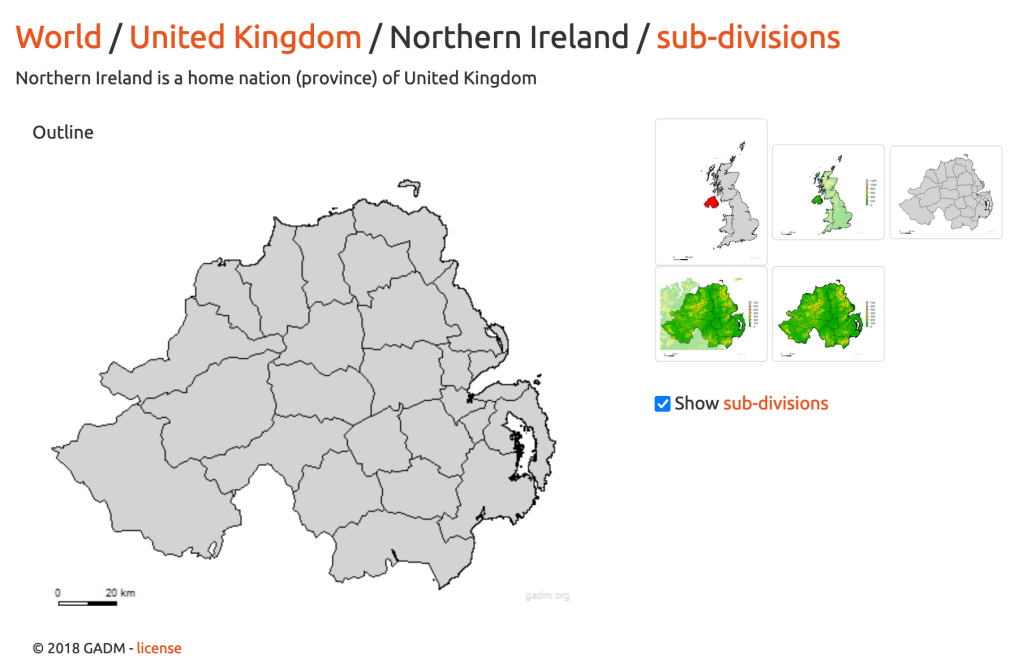
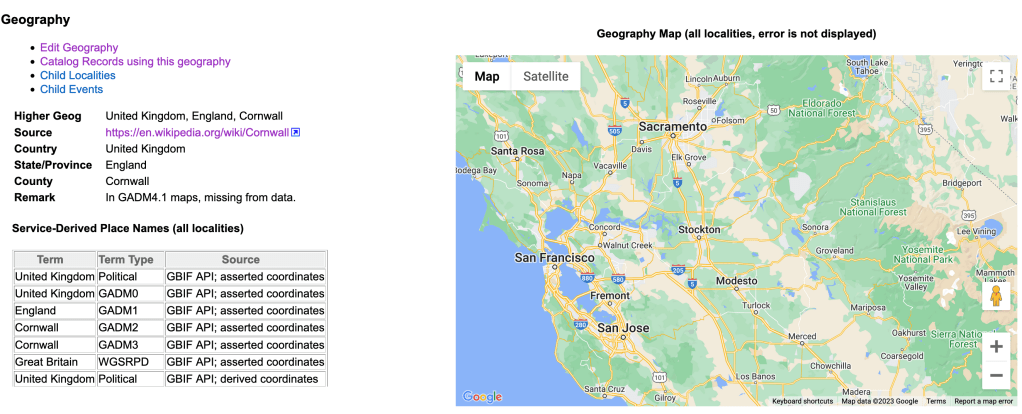
Many UK counties are missing spatial data from GADM. Use them anyway, and hope for the best that the next release of GADM will bring some spatial information.
locality_specific: the cleanest version of the locality. See documentation and georeferencing guidelines.
Locality Attributes (code table)
All geology is associated with the locality here. If you have specimens from the same quarry but different formations, then you will need to enter two separate localities with the same geographical information but different geological attributes (careful when chosing to link specimens to existing localities that the geology matches).
Geology
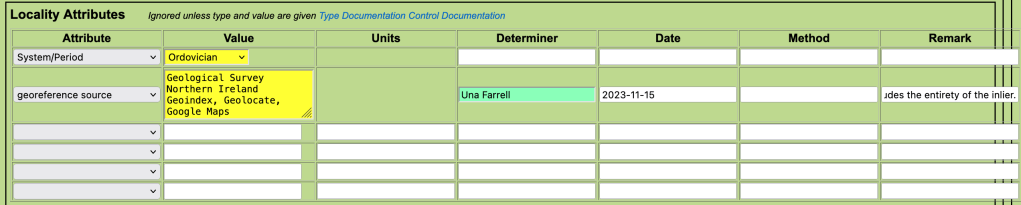
Most commonly used attributes are those related to lithostratigraphy (Group, Formation, Member, Bed) and chronostratigraphy/geochronology (e.g. System/Period). These are NOT linked hierarchically…add them all independently if you want the full set.
As we are the only collection in Ireland using Arctos, the stratigraphic names are usually not in the code tables (example code table: formation names). They need to be added by creating an issue on GitHub (consult curator). If you haven’t done this in advance, add the information you have about age and other attributes and make sure to come back and fill in the lithostratigraphy later when the name is available. In this case, the specimen has no recorded lithostratigraphy.
Georeference Source
Details of the georeferencing which include
- value: resources used (e.g. Geohive, Logainm, Geolocate, Google maps etc.)
- determiner: the person who did the georeferencing
- date: date of the georeferencing
- remarks: georeferencing remarks – detailed notes describing the process and any assumptions made.
Spatial

coordinate_lat_long_units (code table): usually decimal degrees
coordinate_datum (code table): usually World Geodetic System 1984
coordinate_max_error_distance: uncertainty value (see georeferencing protocols)
coordinate_max_error_units: m
coordinate_georeference_protocol: usually MaNIS georeferencing guidelines (will ask for GBIF protocol to be added…this is the closest to that for now).
coordinate_dec_lat and coordinate_dec_long: the decimal coordinates.
Parts
Specimens must have at least one ‘part’. More than one part may be used – for example, a hand specimen and an associated thin section.
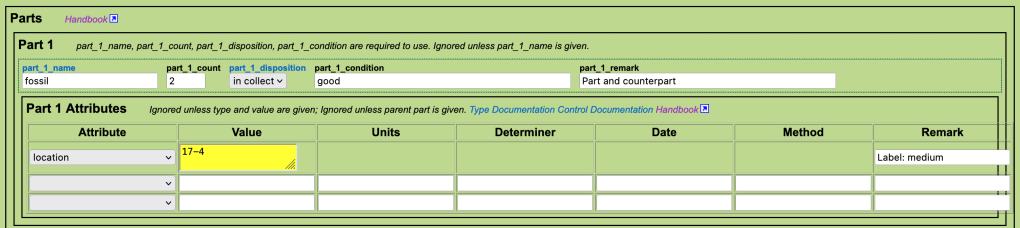
part_1_name (code table): fossil for paleo, mineral for minerals where no other info. However, there is a long list of part types – use something more precise if possible as the information “fossil” is already recorded as record_type above.
part_1_count: most often 1, but 2 in this case (part and counterpart).
part_1_disposition (code table): in collection (most often), on exhibit, missing etc.
part_1_condition: this is a required field. Mostly we use “good” as a generic term for specimens that are in reasonable condition. If specimens are damaged, note it here.
part_1_remark: remarks (e.g. part and counterpart).
Part attributes (code table):
A miscellaneous selection of information. Usually use to record
location:
- value: cabinet and drawer in the following format: 17-4
- remark: label size if new labels will be needed, most are medium or small.
preservation (code table): slide, thin section, SEM, polished etc.
Save

Create Record (tiny font, at the bottom of the page) to save. If there are problems with the data entered (missing requried values etc.) things will go red, you will get an alert and can correct the errors. Otherwise you will see the message “Good Save!”.
However, the record has not yet been added to the database. If you have the necessary permissions, go to “Browse and Edit” to check records and make any necessary adjustments before upload (autoload core).
The Databased Record
https://arctos.database.museum/guid/TCDGM:Paleo:7819
Bulkloader Templates
Bulkloaders can be designed to suit a particular part of a collection. For example, the Joly mineral collection tended to have a lot of identifiers, but not many locality attributes, whereas more modern collections may have the opposite.
Here we have a link to a basic template, with a reasonbly generous allowance of identifiers, identifications etc. If you need fewer, you can cut some out. If you need more – copy+insert in the same format (e.g. identifier_4_type etc.) or ask to create a new template. Refer to the single specimen data entry protocol above to understand what the fields are, or consult the Arctos Guide to Bulkloader fields on Google Docs.
We usually start with a specimen bulkloader template and then separate out the collecting events and localities at the end, once the common themes are well understood.
Formatter MS Excel Bulkloader Specimen Templates, with drop-down menus and hints are available on request (for upload they will need to be exported as a csv).
Bulkloader Specimen Template (plain) (hosted in Google Sheets – download as a csv). Includes:
- 2 identifications with
- 3 attributes
- 1 identification determiner
- 3 other identifiers
- 3 collectors
- 6 locality attributes (the max)
- 3 parts with
- 2 attributes
- No specimen attributes (weight, height etc. not usually relevent to paleo, but could be used for minerals (lustre etc))
- No event attributes (not usually relevent)
 Geological Museum - Trinity College Dublin